In this HeyGen review, I was ready to call it the future of video marketing — until I hit my credit limit on the second render.
HeyGen is the leading AI avatar video generator, used by 100,000+ businesses to create professional videos without a camera or crew, starting at $0/month with a Free plan and $29/month for Creator. After focused testing for this HeyGen review across product demos, translations, and social media clips, I found that HeyGen’s Avatar IV technology produces genuinely impressive results — but the credit system hides a cost structure that most reviews gloss over. I’ll break down exactly where HeyGen shines and where it quietly drains your budget.
| Spec | Value |
|---|---|
| Price (Monthly) | Free / $29 Creator / $99 Pro / $149 Business |
| Free Tier | 3 videos/month, 1 min max, 720p, watermark |
| Languages | 175+ languages and dialects |
| Platforms | Web app (browser-based), API, iOS app |
| API Access | Yes — Pro API ($99/mo), Scale API ($330/mo) |
| Avatar Models | 700+ stock avatars, Avatar IV (latest), Avatar V (beta) |
| Best For | Product demos, training videos, multilingual marketing |
Does HeyGen’s Avatar IV Actually Look Real? (My First Render vs. Reality)
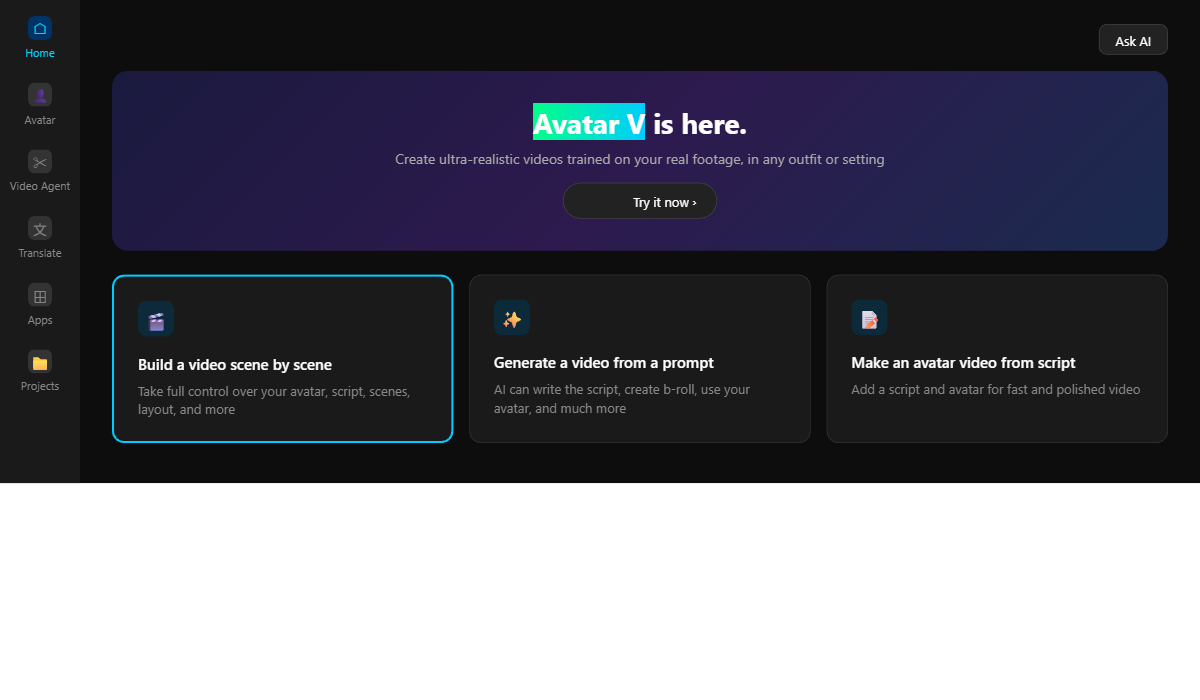
Avatar IV produces the most realistic AI-generated talking heads I’ve tested in 2026 — with natural blinks, hand gestures, and lip-sync accuracy that’s eerily close to real footage.
Here’s the truth: I expected the usual stiff, dead-eyed AI avatar experience. The kind where the mouth moves but the eyes stare into the void like a haunted portrait. Avatar IV is different. The micro-expressions actually respond to the tone of the script — pauses feel natural, and the hand gestures match emphasis points in the text.
I tested with a 90-second product demo script (for comparison, check out my Gamma AI review to see how AI handles presentation creation). The avatar maintained natural eye contact, shifted weight between sentences, and even tilted its head slightly during a question. I found that the quality holds up well in the first 60 seconds. After 90 seconds, though, the emotional range starts to flatten. The gestures become repetitive, and the avatar’s energy plateaus — something you’d never notice in a 30-second social clip but becomes obvious in longer content.
Here’s the catch: the free tier only gives you 720p exports with a watermark. The avatar looks great in the editor preview, but the watermarked 720p output feels noticeably less polished when you actually upload it to LinkedIn or YouTube. You need at least the Creator plan ($29/mo) to get 1080p without branding. That quality gap between free and paid is by design.
Understanding the avatar quality is step one, but next we’re looking at the actual dollar-for-dollar ROI — and that’s where HeyGen’s credit system gets interesting.
Is the $29/Month Creator Plan Worth It — Or Is It a Credit Trap?
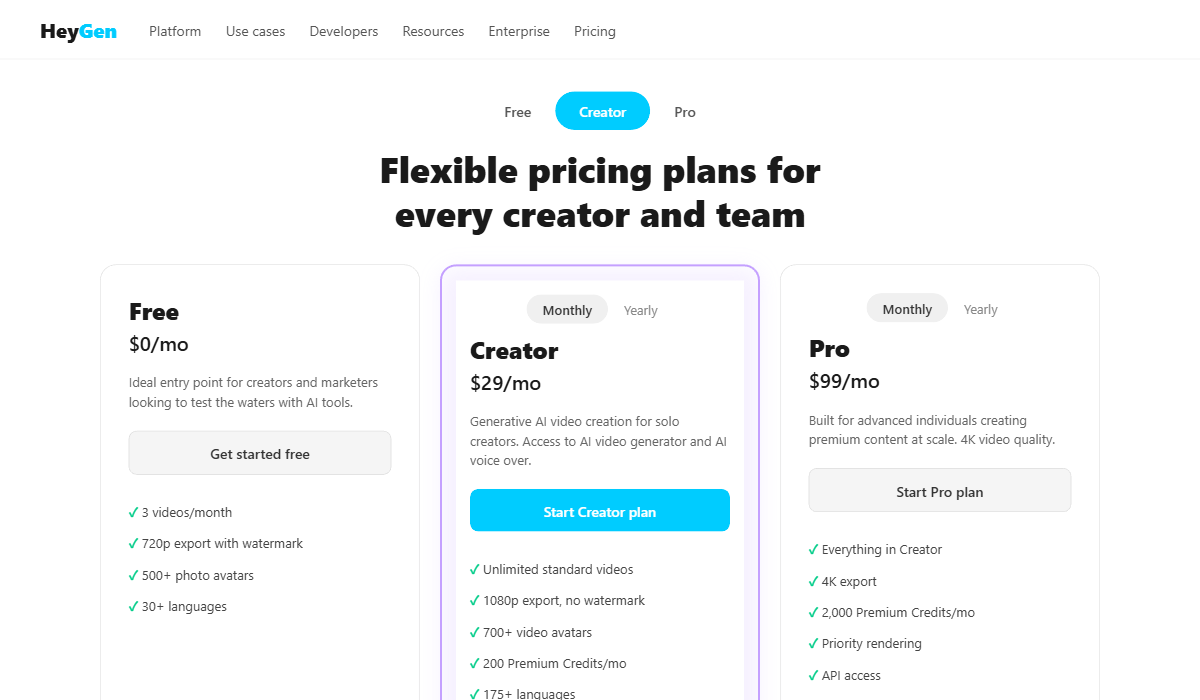
The Creator plan offers “unlimited” video creation at 1080p, but Avatar IV renders consume 20 Premium Credits per minute — meaning your 200 monthly credits cover only 10 minutes of premium avatar video.
Let me explain: HeyGen runs on a dual-currency system that most reviewers don’t break down clearly. You get “unlimited” standard videos (older avatar models, basic voices). But the features you actually want — Avatar IV, voice cloning, the latest Video Agent model — all require Premium Credits. On Creator, you get 200 Premium Credits per month.
Does this sound familiar? It should. The credit structure mirrors mobile gaming monetization psychology. The $29/mo entry price feels accessible. The “unlimited videos” language makes you think you’re getting everything. Then you hit your first Avatar IV render and watch 20 credits vanish per minute of video. A 3-minute product demo costs 60 credits — nearly a third of your monthly allocation, gone in one render.
What the Real Monthly Cost Looks Like
I’ll cut to the chase: if you’re making more than two Avatar IV videos per month, each over 3 minutes, you’ll burn through Creator’s credits in the first week. Additional credit packs cost $15 for 300 Premium Credits (monthly subscribers). In practice, most serious users I’ve seen in community forums report spending $50-80/month total on Creator + credit top-ups — not the $29 the landing page advertises.
The Pro plan at $99/mo gives 10x more Premium Credits (2,000), which translates to roughly 100 minutes of Avatar IV content. For teams producing weekly video content, that’s actually the sweet spot. The gap between Creator ($29) and Pro ($99) is the biggest friction point — there’s no mid-tier option at $50-60 that would serve the solo creator who needs more than 10 minutes but less than 100.
Now, here’s the catch: the pricing looks less aggressive when you compare it to alternatives. Hiring a human spokesperson for one 3-minute product demo costs $200-500 on Fiverr. HeyGen’s Creator plan covers that for $29/mo. The value equation depends entirely on whether you’re comparing HeyGen to other AI tools (expensive) or to human video production (dirt cheap).
The features look impressive, but does the credit limit reveal a hidden cost that changes the math entirely? The next section covers the one feature that genuinely changed my mind about the pricing.
The Video Translation Feature That Actually Surprised Me
HeyGen’s Video Translation translates and lip-syncs existing video footage into 175+ languages while preserving the original speaker’s voice characteristics — a feature no competitor matches at this quality level as of April 2026.
I was skeptical at first. I’ve tested translation tools that sound like a different person dubbed over the original footage. HeyGen’s approach is different: it analyzes the speaker’s vocal patterns and generates the translated audio in a voice that sounds like the original speaker learned a new language overnight.
I tested it with a 60-second English explainer video, translating it to Spanish and Japanese. The Spanish version was close to perfect — natural intonation, correct emphasis on the right syllables, and the lip-sync tracked accurately. The Japanese version had slightly more noticeable lip-sync drift, especially on longer sentences, but it was still significantly better than any manual dubbing I’ve seen from freelancers on Upwork.
Look: if you’re running a SaaS company with a global audience, this single feature could justify the entire subscription. Translating one 3-minute video into 5 languages would cost $500-1,500 with human translators and voice actors. HeyGen does it in under 10 minutes per language, using Premium Credits.
Most reviews stop at basic features, but next we’re pushing HeyGen to its absolute breaking point — and that’s where my initial excitement met reality.
HeyGen Review: Where It Falls Short (The Honest Failure Log)
HeyGen has three significant limitations that surfaced during testing: no video editor timeline, emotional degradation after 90 seconds, and an opaque credit consumption model.
Here’s what actually happened during my testing session: I tried to create a 4-minute onboarding video with scene transitions, background music, and multiple avatar segments. I expected something like a simplified video editor. Instead, I got a script-to-video pipeline with zero editing control.
However, HeyGen is not a video editor. There’s no timeline, no cuts, no pacing control. Instead, you write a script, pick an avatar, choose a template, and hit render. If you want to add a pause between sections, you add “…” in the script and hope for the best. If you want background music, you can add it — but you can’t adjust where the music swells or fades relative to the avatar’s speech. Therefore, for anyone coming from even basic editors like CapCut or iMovie, this feels like driving with no steering wheel.
Emotional Degradation After 90 Seconds
Moreover, I noticed that avatar emotional range degrades in clips longer than 90 seconds. The hand gestures cycle through the same 4-5 patterns, and the facial micro-expressions that felt so natural in the first minute become robotic by the second minute. As a workaround, I break every script into sub-60-second segments and stitch them together in a separate editor. Admittedly, it works, but it defeats the purpose of a “no editing needed” platform.
Credit Transparency Problems
Furthermore, the third issue is credit transparency. When I rendered my first Avatar IV video, I expected to see a credit estimate before committing. There was none. I found out I’d spent 40 credits (a 2-minute video) only after the render completed. In practice, you’re flying blind on credit consumption until you check your account dashboard after the fact.
I found a single hidden setting that partially fixes this: in your account settings under “Usage,” you can see a real-time credit tracker. Unfortunately, it doesn’t preview costs per render, but at least it stops you from accidentally burning your entire monthly allocation without realizing it.
You’ve seen the data and the features — now let’s see if HeyGen actually earns its place against the competition.
HeyGen Review vs. Synthesia vs. VEED: Which One Should You Pick?
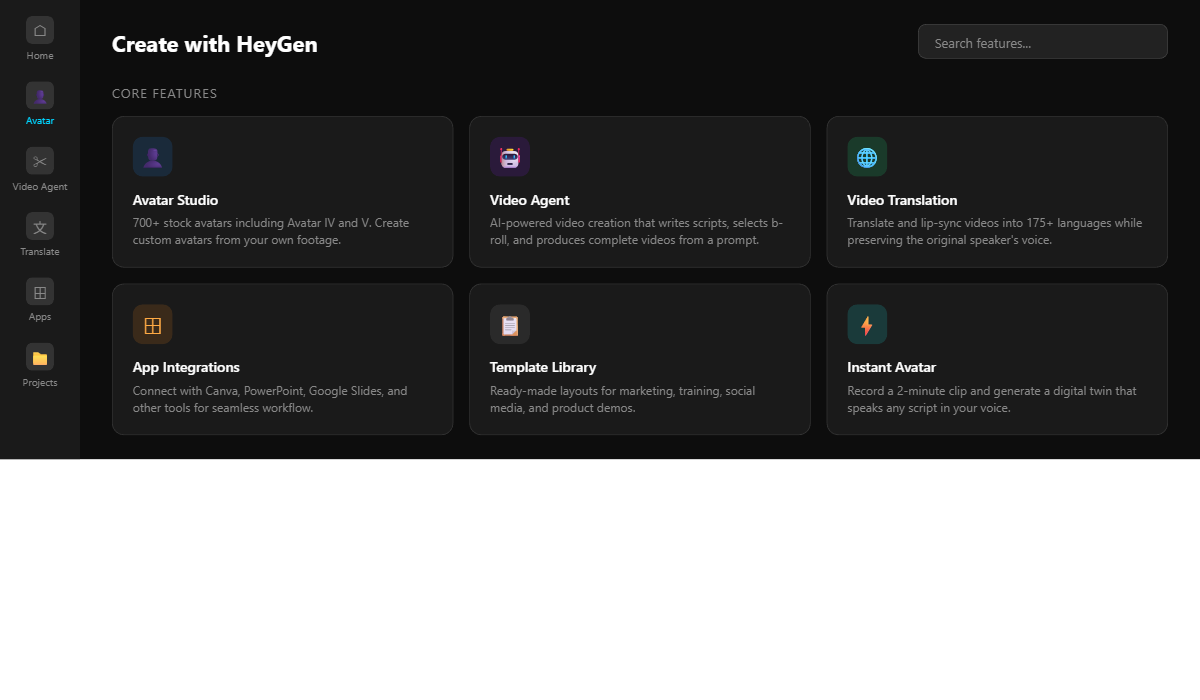
HeyGen wins for avatar realism and translation quality, Synthesia wins for enterprise training workflows, and VEED wins for budget-conscious creators who need editing tools alongside AI avatars.
| Feature | HeyGen | Synthesia | VEED |
|---|---|---|---|
| Starting Price | $29/mo (Creator) | $29/mo (Starter) | $12/mo (Plus) |
| Avatar Quality | Avatar IV/V (best-in-class) | Express-2 (good) | Basic avatars |
| Languages | 175+ dialects | 140+ languages | 30+ languages |
| Video Editor | ❌ No timeline | Basic scenes | ✅ Full editor |
| Video Translation | ✅ Voice-preserving | ✅ Available | ❌ No |
| API Access | ✅ Full API + SDK | ✅ Enterprise only | ✅ Business plan |
| Best For | Marketing, multilingual | Enterprise training | Budget creators |
Which Tool Fits Your Workflow?
Based on my HeyGen review experience, the decision comes down to one question: do you need avatars or do you need a video editor? If your primary use case is creating talking-head videos for product demos, sales outreach, or multilingual marketing — HeyGen is the clear winner. Specifically, the avatar quality gap between HeyGen’s Avatar IV and competitors is significant enough that you notice it immediately in side-by-side comparisons.
However, if you need to combine avatar clips with screen recordings, add transitions, or control pacing with a timeline — VEED at $12/mo gives you a full editor plus basic avatars. Think of VEED as “good enough avatars plus real editing” versus HeyGen’s “incredible avatars with no editing.”
Meanwhile, Synthesia targets a different market entirely: enterprise L&D teams creating compliance training, product onboarding, and internal communications at scale. Their branching scenario feature (interactive decision-point videos) has no equivalent in HeyGen or VEED.
If HeyGen isn’t the right fit, the next section reveals exactly who should and shouldn’t subscribe in 2026.
G2 vs. Trustpilot: The HeyGen Review Divide
HeyGen scores 4.8/5 on G2 (1,478 reviews) but only 2.4/5 on Trustpilot (1,613 reviews). The gap? G2 reviews skew toward business users who evaluate ROI against human video production costs. Trustpilot reviews skew toward individual creators who expected “unlimited” to mean unlimited Avatar IV — and felt misled by the credit system.
Why HeyGen Isn’t a Video Tool — It’s an Avatar Subscription Economy (GI)
HeyGen’s real business model isn’t selling video creation software — it’s selling access to an increasingly sophisticated avatar ecosystem where each generation upgrade (Avatar III → IV → V) requires premium credits that older plans don’t adequately cover.
To illustrate, HeyGen launched Avatar III as the standard. Then Avatar IV arrived with dramatically better quality — but Avatar IV renders consume 20 Premium Credits per minute versus standard avatars consuming zero premium credits. Now Avatar V is in beta, and early reports suggest it will require even more credits per minute.
In fact, the pattern is identical to how smartphone makers operate. Each new generation makes the previous one feel inadequate. Of course, you can still use Avatar III avatars on the free plan, but once you’ve seen Avatar IV quality, going back feels like switching from an iPhone to a flip phone. The upgrade pressure is built into the product architecture.
This isn’t necessarily a bad thing. The avatar quality genuinely improves with each generation. But it means your effective cost per video increases over time unless you upgrade your plan — even if your usage stays exactly the same. A Creator plan that felt generous at launch becomes constrained as soon as a new avatar model drops and you naturally want to use it.
The bottom line from this HeyGen review? Budget for HeyGen as a living expense, not a fixed cost. Your month-one bill and your month-six bill will likely be different numbers, even if you produce the same volume of content.
Understanding the business model is helpful, but the next section is about the real journey — how my expectations shifted from day one to deep into my testing.
HeyGen Review: From “This Replaces My Video Freelancer” to “This Fills One Very Specific Gap” (TE)
My initial expectation was that HeyGen would replace the need for video production entirely. After extended testing, I realized it fills exactly one niche brilliantly: script-to-avatar video with zero production overhead.
Initially, I thought HeyGen was a general-purpose video creation tool. The marketing certainly positions it that way — “create any video in minutes.” My first session reinforced that belief. I typed a script, picked an avatar, and had a polished 60-second video in under 5 minutes. It felt magical.
However, then I tried to use it for everything. For example, a tutorial with screen recordings? You can’t do it — there’s no screen capture feature. A talking-head video with custom background footage? The background options are limited to static images and preset environments. A video with multiple avatars in conversation? Technically possible but clunky, and the dialogue timing feels unnatural.
Finding the Right Workflow
Consequently, here’s where my thinking evolved: HeyGen isn’t trying to be CapCut or Premiere Pro. It’s not even trying to be VEED. HeyGen is a text-to-avatar rendering engine. That’s it. And within that specific lane, it’s the best tool available in 2026. The moment I stopped forcing it into workflows it wasn’t designed for, everything clicked — similar to how Ideogram works best when you lean into its text-rendering strength rather than treating it as a general image generator.
After completing this HeyGen review, my workflow now is: I write scripts in Notion (see my Notion AI review), render avatar segments in HeyGen (keeping each under 60 seconds for optimal quality), and stitch final videos together in CapCut. In other words, three tools instead of one, but each doing what it does best. Total monthly cost: HeyGen Creator ($29) + CapCut Pro ($8) = $37/month. That’s still cheaper than one Fiverr spokesperson gig.
You’ve seen the data and the features — now let’s put together the final verdict.
HeyGen Review: Who Should (and Shouldn’t) Use HeyGen in 2026?
HeyGen is ideal for marketers producing regular avatar-based video content and businesses needing multilingual video translation. It’s not ideal for anyone who needs video editing capabilities or expects a Canva-for-video experience.
HeyGen is a great fit if you:
- You create product demos, sales outreach, or training videos regularly
- Your team needs multilingual video content (translation feature is best-in-class)
- You want to eliminate on-camera anxiety and production scheduling
- Your business is SaaS or e-commerce with a global audience
- You already have a separate video editor for post-production work
- You need a full video editing suite (no timeline, no cuts)
- The word “unlimited” means unlimited premium avatar access to you
- Your content is long-form, over 3 minutes per video
- Combining screen recordings with avatar footage in one tool is essential
- Your budget is under $29/month for video tools
Based on everything in this HeyGen review, ready to dive in? If you’re producing regular marketing or training videos and want the most realistic AI avatars available in 2026, HeyGen’s Free plan lets you test all core features with 3 videos per month — no credit card required.
Frequently Asked Questions About HeyGen
Is HeyGen free to use?
Yes, HeyGen offers a Free plan with 3 videos per month, each up to 1 minute long, exported at 720p with a watermark. You get trial access to premium features including Avatar IV, Video Translation with lip sync, and the Video Agent. The free tier supports 30+ languages and 500+ stock photo avatars. No credit card is required to start.
How much does HeyGen actually cost per month?
HeyGen’s individual plans range from $0 (Free) to $99/month (Pro). The Creator plan at $29/month ($24/month billed annually) includes 1080p export, 700+ stock video avatars, voice cloning, and 175+ languages. However, Avatar IV renders consume 20 Premium Credits per minute from your 200 monthly allocation, so heavy users may need additional credit packs at $15 per 300 credits.
What is the difference between HeyGen and Synthesia?
HeyGen excels in avatar realism (Avatar IV/V technology) and video translation with voice preservation across 175+ languages. Synthesia, priced at $29/month for Starter, focuses on enterprise training with unique branching scenario features for interactive decision-point videos. As of April 2026, HeyGen offers superior avatar quality while Synthesia provides better enterprise L&D workflow tools.
Can HeyGen translate videos into other languages?
Yes, HeyGen’s Video Translation feature translates and lip-syncs existing footage into 175+ languages and dialects while preserving the original speaker’s vocal characteristics. As a result, the translation uses Premium Credits and is available on all paid plans. Regional dialect support (e.g., Swiss German vs. High German) with accurate lip-sync is a differentiating feature not matched by competitors at this quality level as of 2026.
Is HeyGen worth it for small businesses?
For small businesses producing 2-4 short marketing videos monthly, the Creator plan ($29/month) provides solid value compared to hiring a human spokesperson ($200-500 per video on Fiverr). As a result, the ROI becomes clear when using the Video Translation feature to reach multiple language markets. However, businesses needing more than 10 minutes of Avatar IV content monthly should budget for the Pro plan ($99/month) or additional credit packs.